





MemoraLink™ — Clear Space on Your iPhone Instantly, No iCloud Required
 High Quality
 Free US Shipping
 Hassle Free Returns
 Almost out of stock
Quit Deleting Photos. Start Saving Them — On Every Gadget You Own.
Your iPhone’s storage is full once again. That “Storage Almost Full” alert showed up halfway through your vacation. Mom wanted your daughter’s recital video, and you had to send three fuzzy frame grabs because the original file wouldn’t transmit. MemoraLink™ is the all-in-one photo stick putting an end to all that — plug it into your iPhone, Android, laptop, or USB-C MacBook. Transfer thousands of photos and videos off your phone within seconds. No cloud plans. No app drama. No deleting cherished memories to free up space.

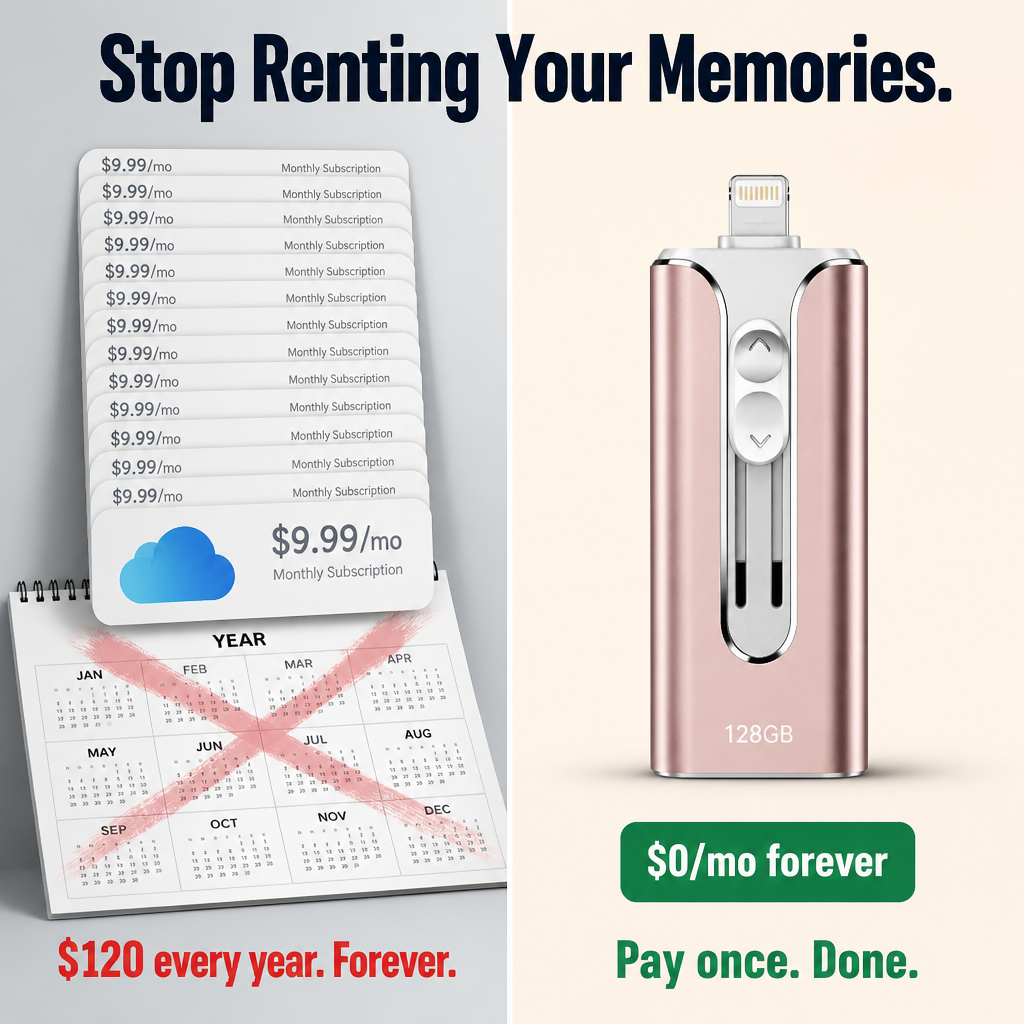
Stop Shelling Out $9.99 Monthly Just to Store Your Memories
iCloud sneaks up on you. First 50 GB. Then 200 GB. Then 2 TB. After a few birthdays and a couple summer trips, suddenly you’re stuck paying for storage every month forever — just to keep photos your phone’s camera already captured for free.
Or you start deleting. Spending a Sunday morning swiping through 800 burst shots from one afternoon, deciding which to toss. That’s not a backup solution. It’s throwing in the towel.
 One Drive. Three Connectors. All Your Devices Covered.
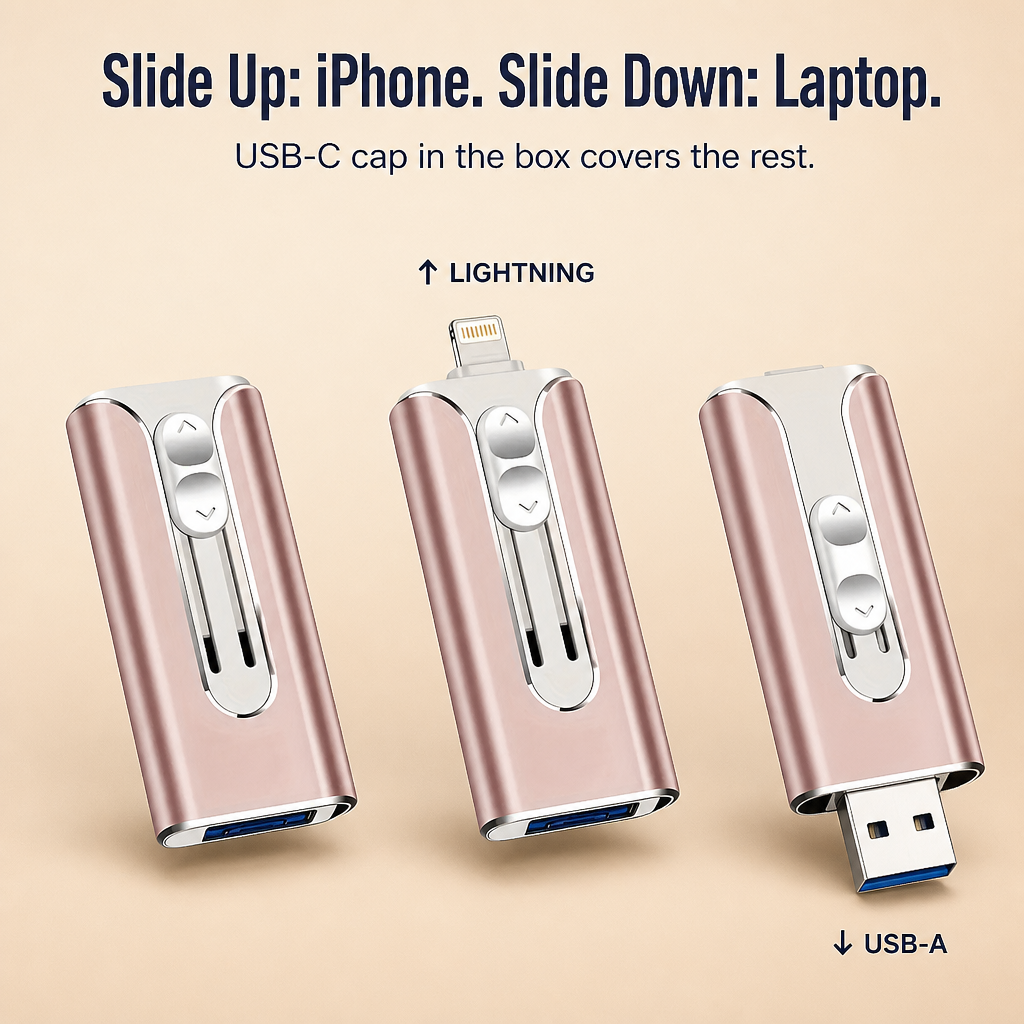
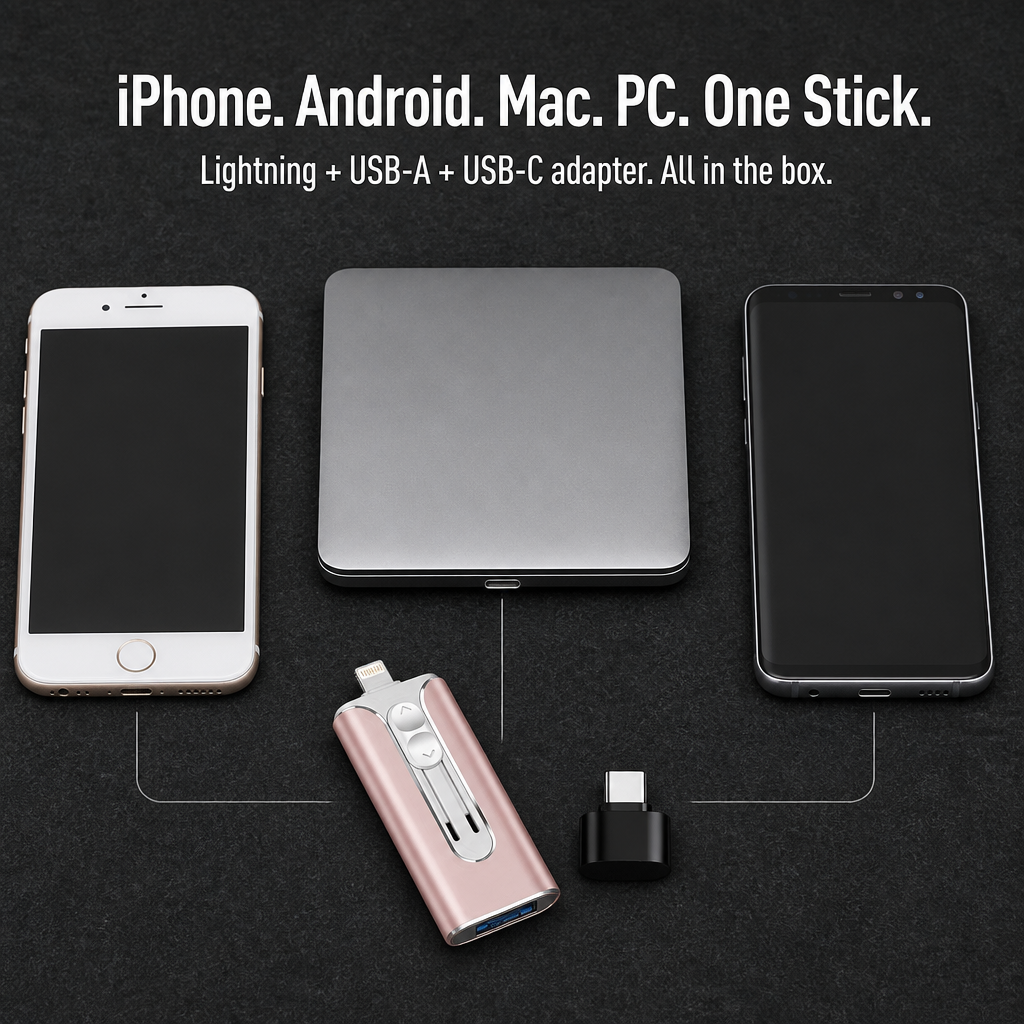
Slide the switch up — Lightning connector appears for older iPhones and iPads. Slide it down — full-size USB-A reveals for any laptop or PC. Pop on the included USB-C cap — compatible with Android phones, USB-C iPads, MacBooks, Windows laptops with USB-C ports, even smart TVs. One pocket-sized device for all your ports.

- Transfer 1,000+ Photos in Less Than Two Minutes. USB 3.0’s blazing speed handles 4K videos, full camera-roll backups, and complete photo libraries — no 30-minute waits like slow café WiFi.
- Ditch the App Hassle. Plug in. Your device registers MemoraLink™ as external storage. Drag and drop your files. No sign-ups. No passwords. No battling iCloud’s “Optimize iPhone Storage” guesswork.
- Made Tough for Life on the Go. Sturdy metal casing, zero plastic flex, sliding shutter that hides connectors when tossed in your bag. Includes a keychain loop so it won’t vanish into couch cushions.
How the Slider Mechanism Functions
The secret’s in the ridged slider on the front. Push it up and the Lightning connector slides out for iPhones or older iPads. Push it down and a full USB-A plug pops out for laptops or PCs. The matte-black USB-C cap snaps onto the USB-A end when you need to connect to Android phones, USB-C iPhones (models 15, 16, 17), or new MacBooks.
"Grabbed it when my iPhone had just 7GB free. After an evening’s use, I had 71GB free. No iCloud payments, no apps, no tutorials. Plugged it in, transferred everything, done." — Sarah K.
Easy 3-Step Backup
1. Slide out the connector that fits your device.
2. Plug it in. Your phone or laptop detects MemoraLink™ as external storage.
3. Drag your photos, videos, contacts, or files over. Finished in seconds.
MemoraLink™ Compared to Other Options

| MemoraLink™ | iCloud / Cloud Sub | Single-Connector Drive | |
|---|---|---|---|
| Monthly Fee | $0 — pay once | $2.99–$9.99/month forever | $0 |
| Compatible with iPhone + Android + Mac + PC | All four | Tied to a single ecosystem | One device type only |
| Works Offline Without WiFi | Yes — anytime, anywhere | No | Yes |
| Files Are Yours, Stored Offline | Always | Cloud-dependent | Always |
In the Package
- 1× MemoraLink™ 3-in-1 drive (Lightning + USB-A built-in)
- 1× USB-C adapter cap (matte black)
- Capacity options: 32GB / 64GB / 128GB / 256GB
- Colors available: Pink / Gold / Black / Silver
- USB 3.0 fast transfer speeds
- Compatible with iPhone, iPad, Android devices, MacBook, Windows PC, smart TVs
- Durable metal body, sliding connector cover, keychain loop
Common Questions
Will this work with my iPhone?
If your iPhone has a Lightning port (models iPhone 14 and older, all SE), use the integrated Lightning slider. If your iPhone uses a USB-C port (iPhone 15, 16, 17), attach the included USB-C adapter on the USB-A end.
Do I have to install an app?
No setup required. Plug and play — your device detects MemoraLink™ as external storage to drag and drop files.
How fast is the transfer speed?
Uses USB 3.0 high-speed. A 4K iPhone video transfers in seconds, and moving a full 1,000-photo roll takes under two minutes — much quicker than waiting for iCloud at an airport.
Will my photo or video quality suffer?
Zero compression. Images and videos transfer in the exact original resolution your device captured.
Can it double as a keychain?
Absolutely — there’s a tiny loop built into the body for keychains, lanyards, or bag clips. The metal shell protects against drops, and the slider covers the connectors when tossed in a bag.
If It Doesn’t Free Up Space on Your Phone, Return It. Every Cent Back.
Plug it in tonight. If MemoraLink™ doesn’t swiftly move your photos and videos to the device you choose — or if the connectors don’t fit your phone — just send it back within 30 days. Full refund, no questions, no restocking fees.
What our customers have to say:
Luvilea Guarantees


Rated 4.6 / 5 based on 1289 reviews. Showing our 4 and 5-star reviews.